Windows 10 Pro vs Windows 11 Pro: Key Differences
2 November 20262 min read
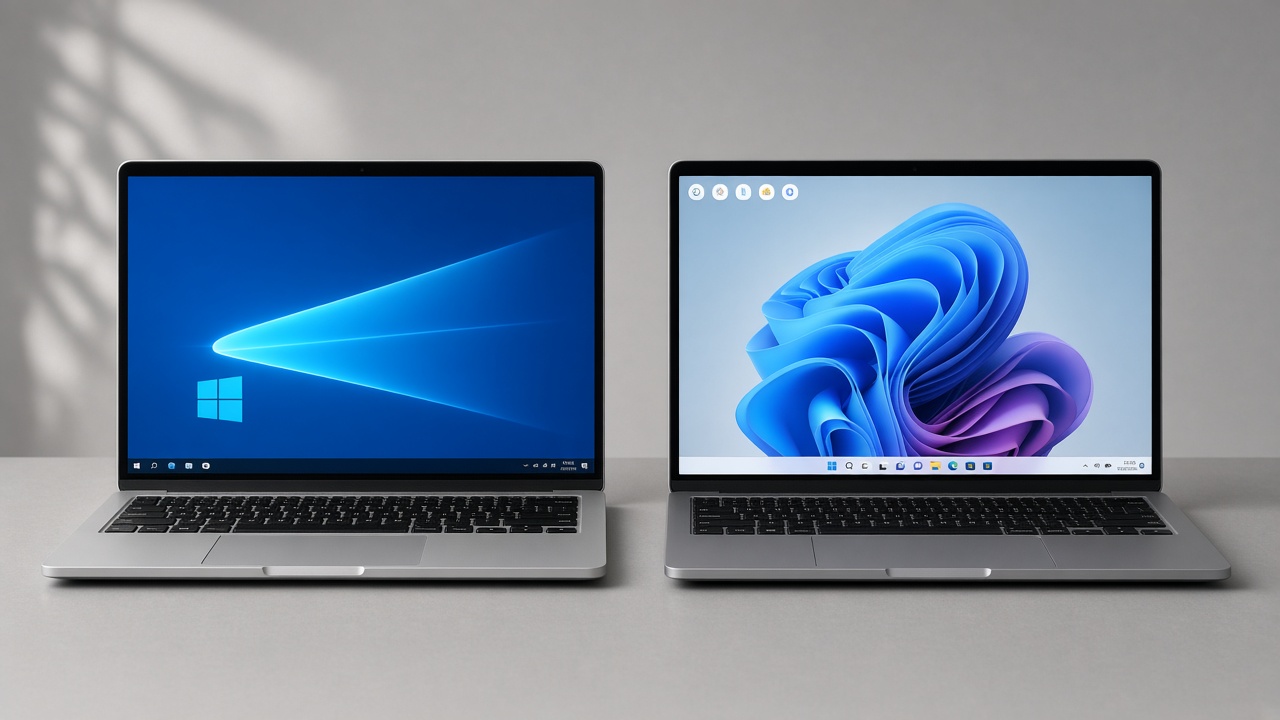
Windows 10 Pro vs Windows 11 Pro: system requirements, security, interface and support. Which one suits you?
Windows 10 Pro and Windows 11 Pro share the "Pro" label but belong to different generations. One stands for maturity and broad hardware compatibility, the other for a current security baseline and a modern interface. Here we compare them on system requirements, security, interface and support.
Quick comparison
- System requirements: Windows 10 Pro runs with 2 GB RAM and 32 GB storage and does not require TPM. Windows 11 Pro needs 4 GB RAM, 64 GB storage, TPM 2.0 and Secure Boot.
- Security: Virtualization-based security, Secure Boot and Smart App Control are more active on Windows 11 Pro.
- Interface: Windows 11 offers a centered taskbar, Snap Layouts and a rounded design.
- Support: Windows 10 reached end of support on 14 October 2025; Windows 11 keeps receiving feature updates.
- Hardware compatibility: Windows 10 runs on older devices; Windows 11 requires newer hardware.
System requirements
Windows 10 Pro
- 1 GHz processor, 2 GB RAM (64-bit), 32 GB storage
- TPM 2.0 not required
- Can be installed with legacy BIOS
Windows 11 Pro
- 1 GHz+ 64-bit processor (2+ cores), 4 GB RAM, 64 GB storage
- TPM 2.0 and Secure Boot required
- UEFI required
Security differences
Windows 11 Pro is a step ahead:
- VBS and HVCI enabled by default
- TPM 2.0-based Windows Hello
- Smart App Control
- Enhanced phishing protection
Windows 10 Pro includes some of these, but they are not enabled by default.
Interface and usability
- Windows 11 centers the taskbar and simplifies the Start menu.
- Snap Layouts build window arrangements quickly.
- Widgets and a new notification center.
- Windows 10 feels familiar to users used to the classic layout.
Shared features
Both editions include Pro-only tools:
- BitLocker
- Remote Desktop (host)
- Hyper-V
- Group Policy
- Windows Sandbox
- Domain join
Which one is right for you?
- New device with TPM 2.0: Windows 11 Pro
- Older device without TPM 2.0: Windows 10 Pro (mind the support status)
- Enterprise management and security first: Windows 11 Pro
When deciding, look beyond price: check your hardware and how long support will continue. Security risk grows over time on an unsupported system.
Summary
Windows 10 Pro is mature and flexible; Windows 11 Pro focuses on current security and a modern experience. Pick Windows 11 Pro for new hardware, and Windows 10 Pro if your device lacks TPM 2.0.
Read What is Windows 10 Pro? and What is Windows 11 Pro? for details. Genuine licenses are on our products page.
Looking for a license?
Original licenses, delivered instantly.
Related products
More articles
lisanskur.com